If you have trouble setting up the development environment, don’t know how to code, or are using Windows and want to build iOS apps, you can try the PREMIUM Plan, which allows you to Build on Cloud automatically. No need to set up the Flutter environment on your laptop.
💡
Note: For users who have already purchased FluxStore apps. Your apps will continue to work normally even after you cancel your Premium Plan.
❓“Will my account be locked if I don’t renew my subscription, and will my apps no longer be visible to customers?”
When your subscription expires, your FluxBuilder account remains available, and your apps will continue to work normally on the Apple App Store and Google Play. When you want to Build on Cloud again, you can simply subscribe again.
❓“Can I build iOS and Android apps without FluxBuilder?”
Yes, of course! You can follow these guides to build your apps on any code editors:
If you need to extend your support period after the free 6 months of support, you can subscribe to the SUPPORT plan.
💡
Note: Our Support team can help you with installation issues or existing features that are not working properly. The Support Plan does not cover source code customization, new feature development, or the installation of third-party items.
The Support Plan also includes helpful FluxBuilder benefits:
Update your app UI & features without republishing to the app stores.
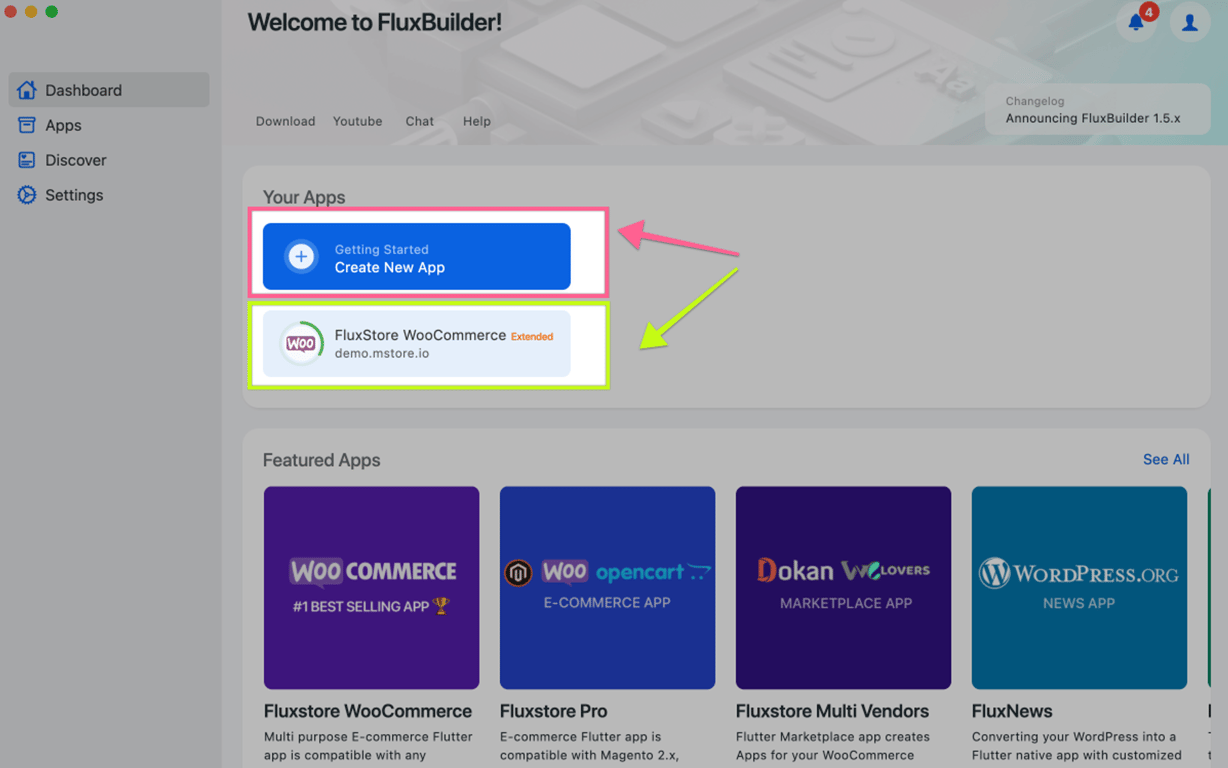
(If you don’t have an app in FluxBuilder yet, create a new app by following this quick guide)
Next, click on your app information on the bottom left:
Select App Billing: (Skip this step if you are using the FluxBuilder Web version)
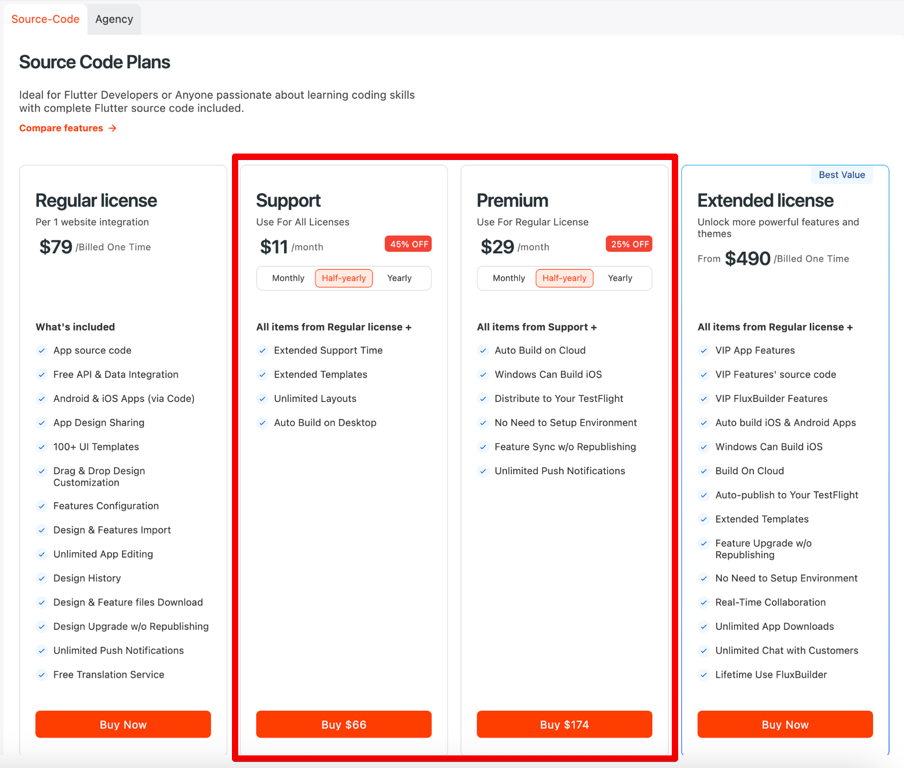
Then select Source-Code tab → click BUY button on either the Support or Premium plan:
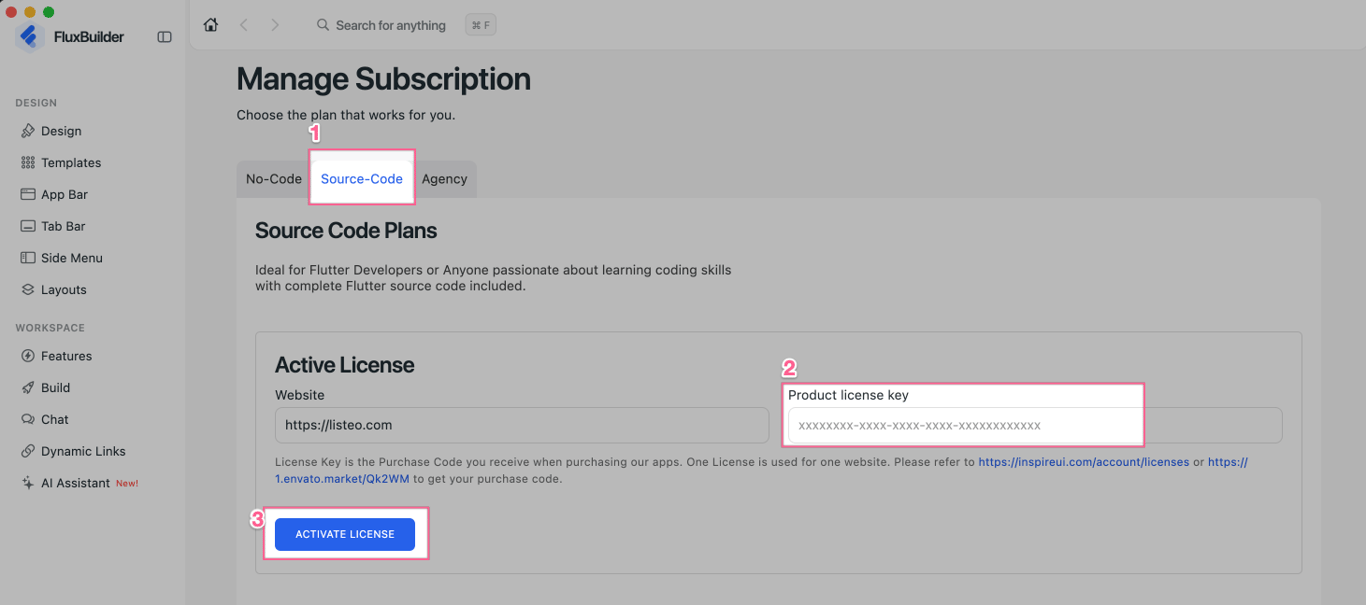
If you don’t see the Support or Premium plan, you may need to enter your purchase code to activate the app first. Once activated, you’ll be able to see the Support or Premium plans:
❓If you see a message your license is used by another domain when Active License
Follow these steps:
Create app for that (old) domain.
Go to Active License / Production License
Click BUY button on a plan, and you can subscribe successfully.
After a successful payment, please refresh the browser page or close and reopen FluxBuilder to see the changes.
💡
If you encounter any difficulties during the purchase process, including payment restrictions in your region, please don’t hesitate to contact us at hi@inspireui.com for assistance 😊
We hope this guide helps, and we look forward to supporting you! ⭐️