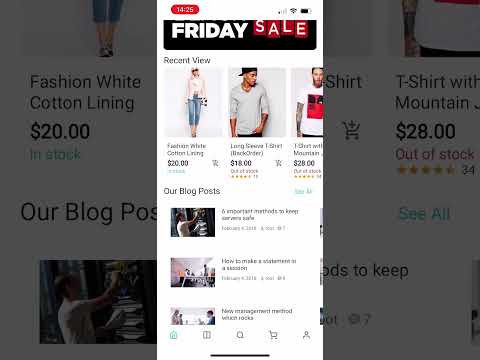
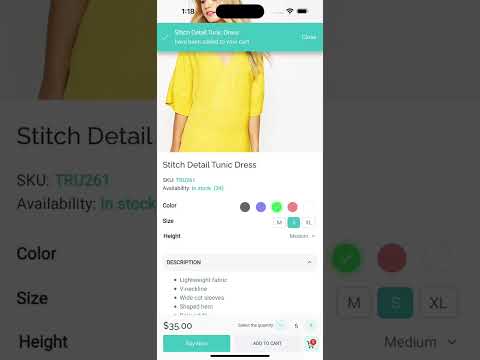
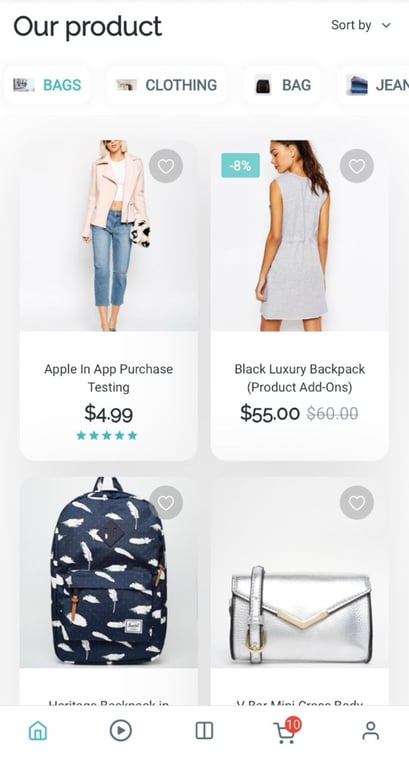
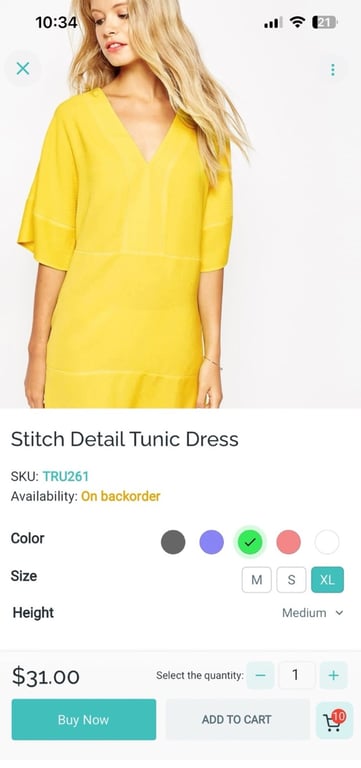
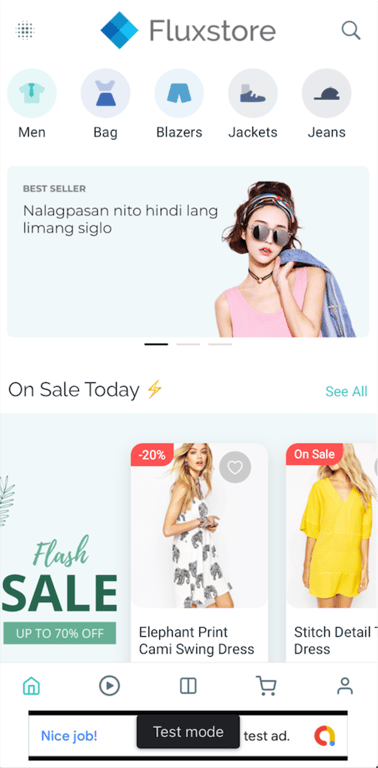
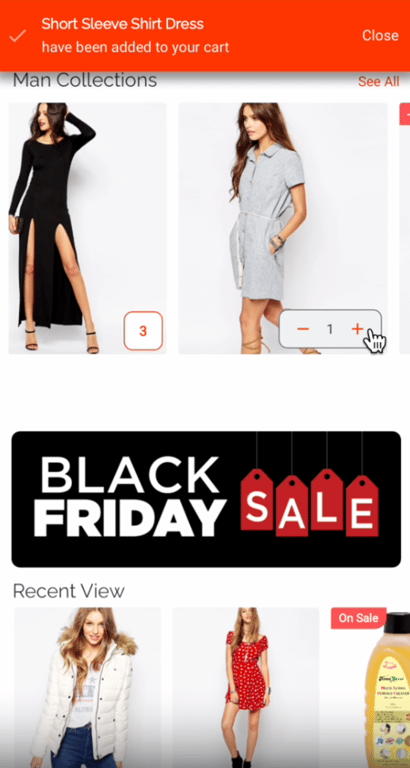
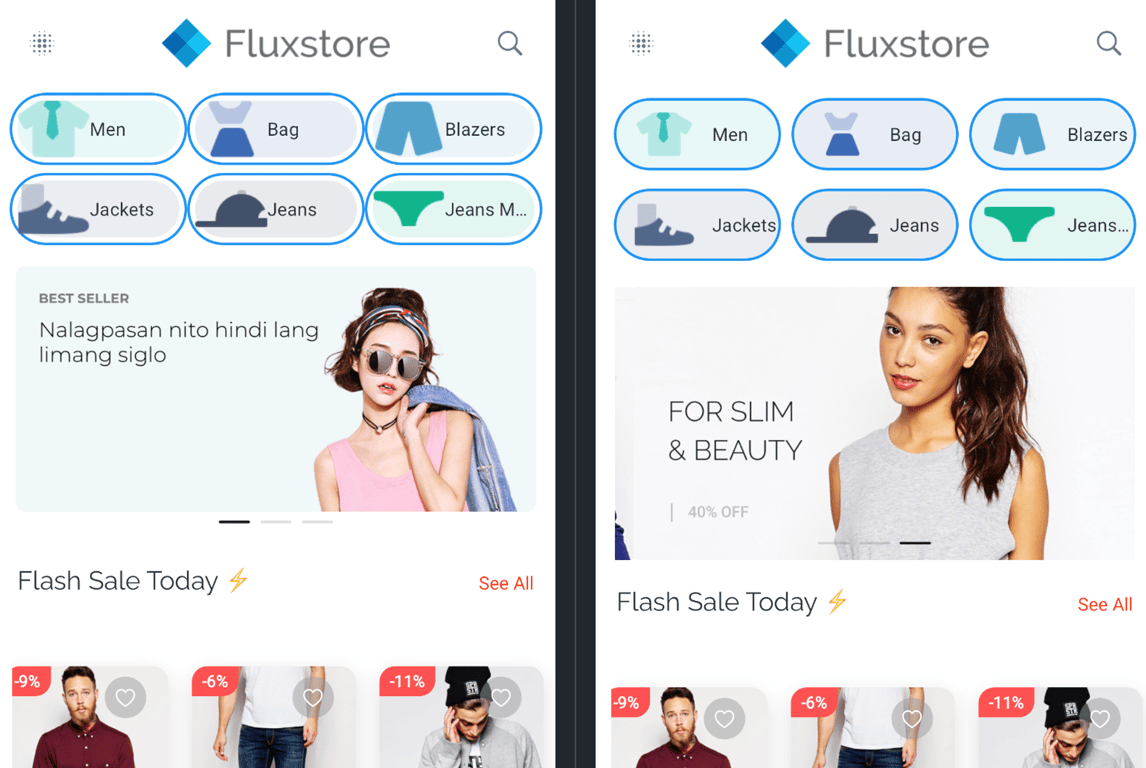
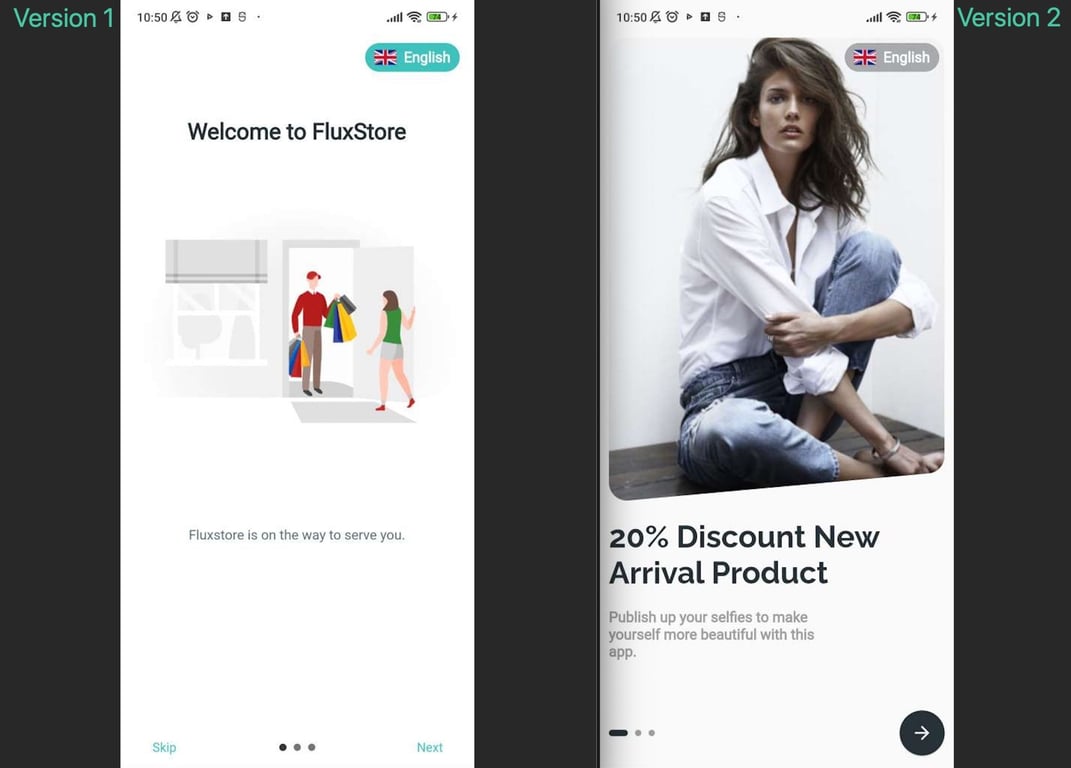
Some plugins may show Swift Package Manager/Kotlin Gradle Plugin warnings in the logs while running the app. But you can totally ignore them. Your app still works fine 👍
Added support for dynamic links and deep links during WebView navigation, allowing supported links to be redirected to native app screens instead of loading inside the WebView
(1) Update easy_paypal to Comply with Google Play Policies ⬆
Supported: All frameworks
Updated the easy_paypal package to replace the old PayPal Data Collector SDK (com.paypal.android.sdk:data-collector) with the policy-compliant Braintree version (com.braintreepayments.api:data-collector:4.31.0). This resolves Google Play rejections caused by the old SDK collecting device location without prominent disclosure.
Pinned local_auth_android to a fixed version to resolve a build failure introduced by Android Gradle Plugin 9+ (AGP 9), where local_auth_android was missing compileSdk in its build.gradle.kts. This fixes the NullPointerException crash during Gradle configuration.
Supported: All frameworks(Extended source code only)
Fixed a build failure on extended source code caused by stripe_android and stripe_ios requiring compileSdk ≥ 36 due to updated androidx dependencies (activity, core-ktx, browser, navigationevent), while the project was still targeting android-35.
💡
IMPORTANT UPDATE
⬆️ Updated easy_paypal SDK — replaces com.paypal.android.sdk:data-collector with com.braintreepayments.api:data-collector:4.31.0 to comply with Google Play's User Data and Prominent Disclosure policy
⬆️ Pinned local_auth_android to a compatible version to fix build failures with Android Gradle Plugin 9+.
This release contains many fixes
Fixed: Android build failure — stripe_android and stripe_ios required compileSdk ≥ 36 due to updated androidx dependencies
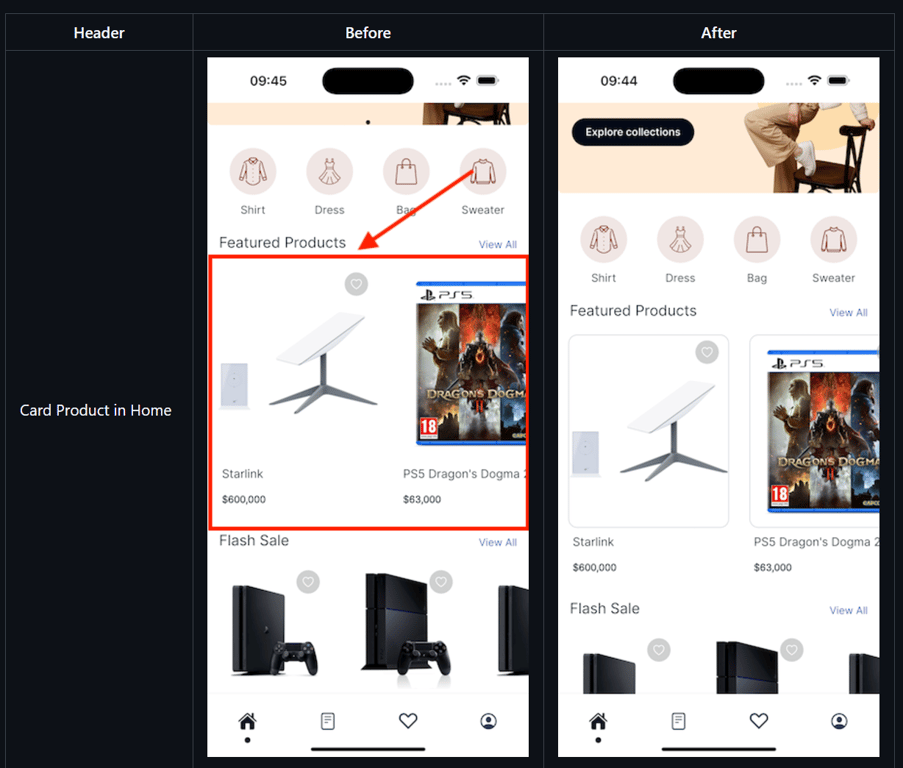
Fixed: Product name (title) being vertically clipped / cut off in product listing cards (all frameworks)
Fixed: Add-to-cart button incorrectly shown in Wishlist screen in certain edge cases (all frameworks)
Fixed: Initial deep link handled twice on cold app start, causing duplicate navigation (all frameworks)
Fixed: WebView (web embed) not responding to scroll gestures correctly on some devices (all frameworks)
Fixed: Product deep links without a trailing slash not being parsed correctly — both https://domain/product/slug and https://domain/product/slug/ are now supported
How to update/migrate the app to the latest version?
This patch release addresses critical bug fixes reported after v6.0.0
Fixed: Unable to press the order button on the first attempt — the place order button was unresponsive on the first load because selectedId was still null after payment methods loaded
Fixed: config JSON not applied when changing language
Fixed (Shopify): App crash on launch due to type cast of null to String when parsing blog post image URL in ShopifyBlog
Fixed: Build issue due to connectivity_plus package
How to update/migrate the app to the latest version?
To fix the build issue with the new Flutter version
After upgrading, you may meet the cache issue of iOS while building the application. Please run this command to fix:
flutter precache --ios
💡
In the new version, we have some breaking changes:
You need to upgrade your Xcode version to 26.x to be able to run the app as well as upload to TestFlight
(2) Universal Links / App Links 🔗
Supported: All frameworks | ⚠️ BREAKING CHANGE
Support iOS Universal Links and Android App Links — users tapping your website URLs (product, category, blog, etc.) on their phone will open the app at the correct screen instead of the browser
iOS setup: Upload apple-app-site-association (no extension) to https://yourdomain.com/.well-known/apple-app-site-association with Content-Type: application/json
Android setup: Upload assetlinks.json to https://yourdomain.com/.well-known/assetlinks.json
Required: Set websiteUrl and websiteDomain in configs/env.props
Supported deep link paths: /product/*, /product-category/*, /collections/*, /brand/*, /product-tag/*, /store/*, /listing/*, /blog/*, /post/*
(3) Wishlist Empty State Image 🖼️
Supported: All frameworks
Added emptyImage and boxFit options to wishListConfig in lib/env.dart to customize the image shown on an empty Wishlist screen
Supported: All frameworks (except GPT, WordPress, Vendor Admin, Delivery, WebApp)
Controls whether the product thumbnail appears on the left or right side of the tile
Automatically adapts to RTL languages (when null, the default RTL behavior applies)
New imageOnLeft option for product layouts using "layout": "listTile" in lib/config/config_xx.json
{
  "layout": "listTile",
+  "imageOnLeft": false,
}
(5) Review Widget: Title Field Support ⭐️
Support the Title field in the Review widget on the product detail screen
Available for ListingPro and Shopify frameworks
(6) Cart Performance & Reliability ⚡️
Fixed a critical issue causing server overload (due to 80–90+ simultaneous API calls) during checkout
Reduced server load by batching product API requests when checking cart
Added pull-to-refresh in the Cart screen
Cart is now verified before checkout — out-of-stock or unavailable items are flagged immediately with clear error messages
(7) Share Link Metadata Support 🔗
Product and blog share links now include Open Graph metadata (title, description, image)
Rich link previews appear automatically in messaging apps and social networks
💡
IMPORTANT UPDATE
🔄 [BREAKING CHANGE]EnableReview renamed to EnablePreview in checkout screen config (all 88 translation files updated) — if you override this key in env.dart or config_xx.json, rename it accordingly
🔄 Blog category images are now handled more reliably — banners load consistently across all frameworks
🔄 Product list now displays tag/brand names instead of raw IDs
🔄 YouTube iframe videos in blog/product/HTML content now load correctly
⬆️ Updated flutter_facebook_auth and facebook_app_events to latest versions — requires Xcode 26.x or later to build for iOS
This release contains many fixes
Fixed: wrong currency used for wallet cart payments
Fixed: WebView crashing when opened (Vendor Admin, Delivery)
Fixed(HTML): YouTube iframe not loading video content inside HTML content blocks
Fixed: Arabic text search failing
Fixed: shipping methods not appearing when no saved address exists
Fixed(Rating): missing star caused by widget overflow
Fixed(SearchScreen): text position in RTL
Fixed: time parsing error causing the product list to display nothing
Fixed: app not falling back to local config when cloud config/Mstore API caching is unavailable
Fixed: fee names with encoded HTML entities displaying raw symbols
Fixed: countdown timer position width issue in RTL layout
Fixed(BoostEngine): falling back to cached result when remote data is missing
Fixed(HomeScreen): product horizontal layout overlapping after switching app language
Fixed: Size Guide not appearing due to case sensitivity in title matching
Fixed: URL error display on HTML content pages
Fixed(Magento): product variant details not loading or updating when a variant option is selected
Fixed: shipping address being updated unexpectedly during checkout navigation
Fixed: categoryMenuShowDepth config missing from some category menu layouts
Fixed(Checkout): email field not validated when marked as not required
Fixed(Loyalty): incorrect loyalty card priority in reward display
How to update/migrate the app to the latest version?
After upgrading, you may meet the cache issue of iOS while building the application, please run this command to fix:
flutter precache --ios
(2) Full Support for Xcode 26 & iOS 15 Minimum Deployment 💥
Fully compatible with Xcode 26, ensuring smooth builds and future-proof iOS development.
Minimum iOS deployment target has been upgraded to iOS 15.0 (previously iOS 14.0).
⚠️ Notice
This update drops support for iOS 14 and earlier versions due to Xcode 26 and latest iOS SDK requirements.
(3) Video Splash Screen 🎬
Make a strong first impression with the new Video Splash Screen feature.
Supports video playback on app launch instead of static images.
Ideal for branding, promotions, or storytelling.
Configuration
Edit in the lib/env.dart file as below:
  "splashScreen": {
    "enable": true,

    /// duration in milliseconds, used for all types except "rive", "flare" and "video"
    "duration": 2000,

    ///  Type should be: 'fade-in', 'zoom-in', 'zoom-out', 'top-down', 'rive',
    ///  'flare', 'static', 'video'
    "type": "video",
    "image": "assets/videos/splashscreen.mp4", // https://demo.mstore.io/wp-content/uploads/2025/09/splashscreen.mp4

    /// AnimationName's is used for 'rive' and 'flare' type
    "animationName": "fluxstore",

    "boxFit": "contain",
    "backgroundColor": "#ffffff",
    "paddingTop": 0,
    "paddingBottom": 0,
    "paddingLeft": 0,
    "paddingRight": 0,
  },
(4) WhatsApp Order Integration 💬
Added support for WhatsApp Order
Allow customers to send their order details directly via WhatsApp after a successful checkout.
Integrate seamlessly with the existing payment flow.
Message templates are fully customizable, with order information automatically populated for convenience.
Support Native payment only (not support webview payment)
Configuration
Edit in the lib/env.dart file as below
{
  "whatsAppOrderConfig": {
    "phoneNumber": "12124567890",
    "message": "Hello, I would like to place an order. Here are the details:\n\n{order_details}\n\nTotal Amount: {total_amount}\n\nThank you!",
    "paymentMethodIds": [
      "lwc-whatsapp-order"
    ],
    "autoOpenWhatsAppAfterOrder": false
  }
}
Support these replaced params: {billing_name}, {billing_email}, {billing_phone}, {billing_address}, {shipping_name}, {shipping_email}, {shipping_phone}, {shipping_address}, {order_id}, {order_details}, {total_amount}
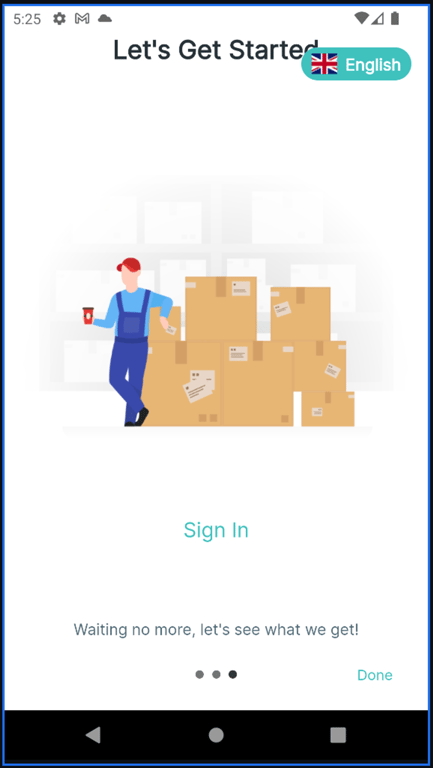
(5) Show / Hide Sign In & Sign Up on Onboarding 🚪
More control over your onboarding flow.
Choose whether to display Sign In and Sign Up buttons on onboarding screens.
Ideal for guest-first experiences or content-first apps.
Configuration
Edit in the lib/env.dart file as below:
Support for Onboarding version 1 only
  "onBoardingConfig": {
    'enableOnBoarding': true,
    'version': 1,
    'autoCropImageByDesign': true,
    'isOnlyShowOnFirstTime': true,
    'showLanguage': true,
    'showLanguagePopup': false,
+   // Currently, only available for version 1
+   'showSignInSignUp': true,
  },
(6) Short Description on Product Card 📝
Added a new option to control the visibility of short product descriptions.
Easily show or hide short descriptions on the product detail screen.
Useful for clean layouts or minimal product pages.
After upgrading, you may meet the cache issue of iOS while building the application, please run this command to fix:
flutter precache --ios
💡
In the new version, we have some breaking changes for Android platform:
Upgraded compileSdkVersion 35 to compileSdkVersion 36
Upgraded ndkVersion "25.1.8937393" to ndkVersion "28.1.13356709"
Disable Impeller rendering engine (Android only)
(2) 16KB Memory Page Size Support 👍
To ensure your app works correctly on the latest versions of Android, FluxStore 5.5.0 supports 16 KB memory page sizes to target Android 15+ by updating the NDK version and Rive dependencies.
You may request an extension to this deadline until May 1st, 2026, by following this guide.
You can disregard the Edge-to-edge warning.
You can disregard these warnings:
Edge-to-edge may not display for all users:
From Android 15, apps targeting SDK 35 will display edge-to-edge by default. Apps targeting SDK 35 should handle insets to make sure that their app displays correctly on Android 15 and later. Investigate this issue and allow time to test edge-to-edge and make the required updates. Alternatively, call enableEdgeToEdge() for Kotlin or EdgeToEdge.enable() for Java for backward compatibility.
Your app uses deprecated APIs or parameters for edge-to-edge:
One or more of the APIs you use or parameters that you set for edge-to-edge and window display have been deprecated in Android 15. Your app uses the following deprecated APIs or parameters:
android.view.Window.setStatusBarColor
android.view.Window.setNavigationBarDividerColor
android.view.Window.setNavigationBarColor
(3) FluxBuilder Dynamic Links Integration 🌟
A complete deep linking and tracking system that enhances navigation, marketing campaigns, and user engagement.
Manage everything easily through the FluxBuilder app builder.
Improved the handling of Firebase Remote Config to balance update frequency and quota limitations. When a new version is uploaded, it is fetched and cached immediately, but applied only on the next app launch.
Ensures stable updates without applying unexpected changes mid-session.
(6) Shopify Re-Order Functionality
Customers can now reorder previous purchases with one-click to reorder from order history with all original items, automatically selects correct product variants from previous orders, and add multiple items from past orders simultaneously.
(7) Shopify User Address Management System 💫
Enhanced address management for Shopify users, including add, edit, set default, and delete address within the app.
🖼️ UI & Layout Improvements
(8) Cart Item BoxFit Options
You can now update image BoxFit for cart items for more consistent visuals.
Introduced scrollable backgrounds for home and dynamic screens for more flexible and engaging UI layouts. When scrolling home or dynamic screen, the background will also scroll together for a more natural effect. (Not applied for Tab Menu and Scrollable screens.)
Configuration
Open the file lib/configs/config_en.json and set “isScrollable” as below:
Store owners can add custom/translated checkout success URLs. The app will auto-detect checkout success events on any platform with webview checkout.
Configuration
Open the file lib/env.dart, and then configure as below:
"paymentConfig": {
    /// List of possible slugs for the successful checkout page on the website.
    /// It will be used to determine when the order is placed successfully and
    /// closes the webview checkout screen, trigger the cart deletion action.
    /// Also displays the native thank you page.
+   "CheckoutSuccessPageSlug": [
+     "objednavka-prijata",
+     "thank-toan-thanh-cong",
+     "thank-toan/thanh-cong",
+     "/xac-nhan-don-hang",
+   ],
}
(14) Support for opening products directly in WebView
Now you can decide product type to open in Webview or Native Product Detail, giving you consistent logic and more flexible control (works for both product and listing apps).
(15) External links open in the system browser instead of in-app WebView
Any URL that is not part of your app will now open in the external browser instead of inside the in-app webview. This makes navigation clearer, prevents broken flows, and gives users a smoother experience.
Configuration
Open the file lib/env.dart and configure as below:
  "advanceConfig": {
-   /// Disable inAppWebView to use webview_flutter
-   /// so webview can navigate to external app.
-   /// Useful for webview checkout which need to handle payment in another app.
-   "inAppWebView": false,
-   'AlwaysClearWebViewCache': false,
-   'AlwaysClearWebViewCookie': false,
-   "WebViewScript": "",
  },
+  "webViewConfig": {
+    "webViewMode": "webViewFlutter", // `inAppWebView` or `webViewFlutter`
+    "alwaysClearWebViewCache": false,
+    "alwaysClearWebViewCookie": false,
+    "webViewScript": "",

+    /// List of domains that should open the external app instead of the webview.
+    /// Just add the domain name only, do not add full URL. For example: "example.com"
+    /// If not set, we will use our default list from [kExternalDomains]
+    "externalDomains": [],

+    /// List of domains that should be loaded in the webview.
+    /// If the list is empty, all domains will be opened in the webview if it is
+    /// not in [externalDomains]. Otherwise, if the domain is not in this list, it
+    /// will be opened in the external browser.
+    /// Just add the domain name only, do not add full URL. For example: "example.com"
+    "internalDomains": [],
+  },
1. Update Target API Level to Meet Google Play Requirements 💥
The target API level for Android builds has been updated in accordance with the latest Google Play policies. This ensures continued app compatibility, improved performance, and access to new platform features while maintaining compliance with Google’s publishing standards.
2. Support for YITH Addons
This version supports the YITH WooCommerce Product Add-Ons plugin on Woocommerce site, allowing merchants to offer customizable product options such as checkboxes, radio buttons, text fields, and more directly within the app.
This integration enhances the product configuration experience and enables more flexible product offerings — ideal for stores that sell personalized or build-to-order items.
Support Platforms
FluxStore Woocommerce
FluxStore Pro (Woocommerce)
FluxStore Multi Vendors
3. Support for Direct Link Sharing
Allow users to share direct website links instead of using dynamic link providers like Branch.io or Firebase. When a shared link is opened, it will redirect to the website, not the mobile app — fully aligning with users who prefer standard URL sharing without app deep linking behavior.
Configuration
Edit the file lib/env.dart as below:
  "dynamicLinkConfig": {
    "type": "selfhosted",
  },
4. New Video Shopping UI Styles
Multiple new video shopping user interface styles have been added, allowing for more engaging and visually appealing product presentations tailored to modern shopping trends.
Support Platforms
FluxStore Woocommerce
FluxStore Pro (Woocommerce)
FluxStore Multi Vendors
FluxStore Shopify
Configuration
Edit the file lib/configs/config_en.json as below:
"TabBar": [
    {
      "layout": "videos",
      "styleVersions": [ // Add the versions you want to display here. You can arrange them in any order you prefer. If not set, only version 1 will be used as the default.
        "1",
        "2",
        "3",
        "4",
        "5",
        "6",
        "7",
        "8",
        "9"
      ],
      "icon": "assets/icons/tabs/icon-videos.png"
    }
5. Order Attribution Tracking via WebView Checkout
Support for tracking order attribution through WebView-based checkouts has been added. This enhancement allows for accurate conversion tracking when customers complete purchases within embedded browser sessions in the mobile app.
Support Platforms
FluxStore Woocommerce
FluxStore Pro (Woocommerce)
FluxStore Multi Vendors
6. Display Product Category on Product Cards
Product cards now optionally display associated categories, improving product context and assisting users in browsing products more efficiently.
Support Platforms
FluxStore WooCommerce
FluxStore MultiVendor (Dokan/WCFM)
FluxStore Shopify
FluxStore Listing (Listeo/ListingPro/MyListing)
FluxStore Pro
FluxStore Strapi
FluxStore Prestashop
FluxStore Notion
FluxStore BigCommerce
FluxStore Haravan
Configuration
Edit the file lib/configs/config_en.json as below:
Amharic has been added to the list of supported languages, enabling localization for users in Ethiopia and expanding the global reach of your application.
8. Support for Saudi Riyal Symbol (SAR)
The correct symbol for the Saudi Riyal currency is now supported, ensuring accurate display of currency values for stores operating in Saudi Arabia.
🛠️ Advanced Configurations and Platform Enhancements
9. Flexible Shipment Tracking Configuration
This update introduces greater control over the shipment tracking experience within the app:
🔧 Custom Tracking URL Support
Store owners can now configure their own tracking URLs, enabling integration with third-party logistics providers or custom-built tracking systems.
🚫 Option to Disable AfterShip Integration
A new setting allows AfterShip tracking to be disabled entirely, providing more flexibility for merchants who prefer alternative tracking methods or wish to manage logistics independently.
Support Platforms
FluxStore Woocommerce
FluxStore Pro (Woocommerce)
FluxStore Multi Vendors
Configuration
Edit the file lib/env.dart as below:
  "afterShip": {
+   "enabled": true,
    "tracking_url": "https://fluxstore.aftership.com", // Old URL, not using if `custom_tracking_url` is not empty
+   "custom_tracking_url": "https://fluxstore.aftership.com/{slug}/{trackingNumber}", // Default null
},
10. Instagram Story: Separated Display Time per Slide
The Instagram Story layout now supports individual display durations for each item:
If a specific time is set per item → that time is used
If not set → fallback to the video’s duration (if available)
If video duration is not available → use the global default setting
This logic ensures optimal flexibility while maintaining a smooth storytelling experience.
Configuration
Edit the file lib/configs/config_en.json as below:
This update introduces support for owner role registration within the Listing app. Users can now register as business owners directly from the app interface.
  "vendorConfig": {
    ...
    /// Show Register by Owner (Only for Fluxstore Listing)
    "OwnerRegister": true/false,
    ...
}
12. Custom Search Type Configuration for Products and Listings
Search behavior can now be customized for both product and listing modules. This is particularly beneficial for users utilizing combined solutions like Listeo and Dokan.
Support search product in Listeo merge Dokan widgets
Support History Text and Recent Searches by productType
Handle logic show QRCode by productType and platform
Configuration
Edit the file lib/configs/config_en.json as below for:
Added new configuration option to support large category collections with an improved user navigation experience (compatible with WooCommerce platform)
    "categoryConfig": {
      // Enable this option when the store has more than 100 category items
      "enableLargeCategories": true,
      "deepLevel": 3,
    },
🧩 FluxStore MAX Enhancements
14. Multi-site Switcher Layout (FluxStore MAX Support)
A powerful new feature has been introduced to improve the multi-site experience in FluxStore apps: the MultiSiteSwitcherLayout. This layout enables a fully customizable UI for selecting between multiple storefronts within a single mobile app.
🧱 Core Components:
MultiSiteSwitcherConfig: Defines the layout’s global settings and style.
MultiSiteSwitcherStoreConfig: Handles individual store styling and folder mapping.
MultiSiteSwitcherLayout: The main widget that renders the switcher UI based on the config.
🔧 Key Capabilities:
Customizable Appearance:
Developers can define layout properties such as background color, spacing, border radius, and image display for each store.
Dynamic Store Configuration:
Each store can have its own icon, selected-state image, and color. The configuration supports both default and selected styles.
Flexible UI Controls:
Optional properties like button size, spacing, and image fit modes give you full control over the layout design.
Integration with env.dart:
You can configure the visibility of the store switcher button in the app bar using showAppBarSwitcherSite under multiSiteConfigs.
AppBar Switcher Button:
To enable or hide the site switcher button in the AppBar, update the corresponding store’s config in the file lib/env.dart:
FluxStore MAX now officially supports Shopify as a backend platform, enabling high-performance native apps for Shopify merchants.
💡
Important Note: Don't support multiple platforms at the same time, sites should only have the same type of platform (Shopify or Woocommerce only).
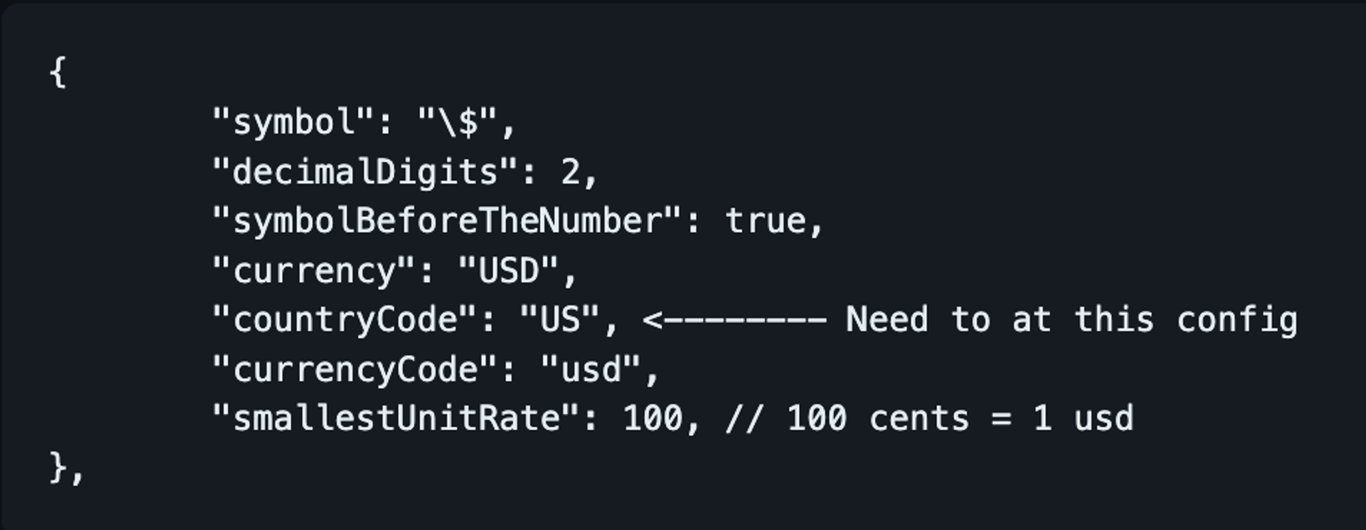
15. Update currency and country based on site config
introduces the ability to update the app's currency and country settings based on the multiSiteConfig.
Key changes:
Added _updateCurrencyForSite method to handle updating currency and country when a new site configuration is selected.
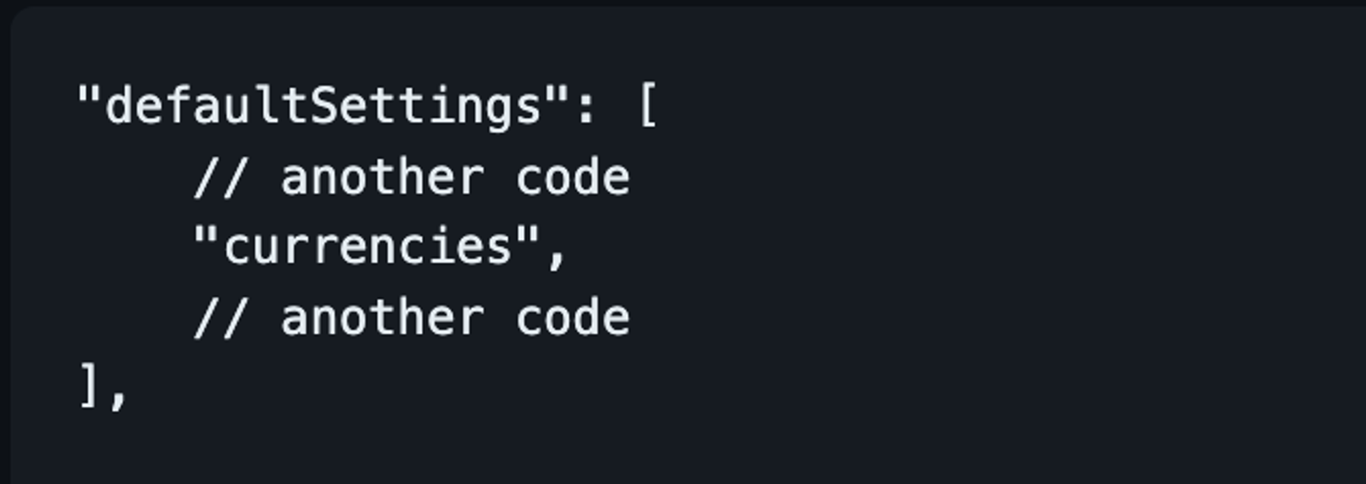
If the site config specifies a currencyCode, the app will attempt to find a matching currency from the kAdvanceConfig.currencies list.
If a countryCode is also provided in the site config, it will override the country code of the found currency.
If the site config's currencyCode is not found or not provided, the app will fall back to the kAdvanceConfig.defaultCurrency.
The getPrefConfig method now prioritizes currency and country settings from multiSiteConfig before falling back to kAdvanceConfig.defaultCurrency or persisted settings.
When changing the multi-site configuration via changeMultiSite, the currency and country are now updated according to the new site's settings.
IMPORTANT UPDATE
💥 Clarify address infor
💦 Confirmation dialog for Order Cancellation and Refund
🌟 Show corresponding error code when creating user
🆙 Improve AppBar address handling and display
Load state and country names for first app launch and full address after selection
Improve address format display in AppBar and address selection screen
Implement automatic address synchronization with CartModel
⌛ Optimize PlacePicker initial map loading
🔰 Add stock quantity in Back Order Products
🔷 Update (productListLayout): optimize shop product list layout
🌐 Refactor(map): optimize map screen layout and carousel responsive
This release contains many fixes
Fixed (BottomBar): Fix Android back button with slide effect
Fixed: unable to apply coupon codes containing uppercase letters
Fixed: reset password wordpress
Fixed (Product): large gap between the section title and the table content
[WCFM] Fixed: get product by distance
Fixed: hide share link if url is invalid
Fixed: claim reward
Fixed: loyalty issues
Fixed: map screen can't operate gestures when ZoomStyle are enabled
Fixed (Multi-Site): tabbar overlays change site popup if slideEffect is enabled
Fixed: sync cart
Fixed: not show notification request popup ios
Fixed: duplicate add-ons when checkout by webview
Fixed (Booking): the day quite long in some languages
Fixed (Product): optimize ProductTitle text height calculation
Fixed (Re-Order): issue re-order product booking
[Shopify] fixed: ensure cart data is always set
Fixed (Listing): handle null height in ListingCardView image rendering
Fixed (SMS Login IOS): The reCAPTCHA SDK is not linked to your app
Fixed: update missing translations in create review screen
How to update/migrate the app to the latest version?
Easily navigate product categories with our refreshed tab-style menu! This clean and modern UI helps users browse by category faster and more intuitively — perfect for improving shopping experience and boosting engagement.
Configuration
Edit the file lib/config/config_en.json as below:
"productCategoryMenuStyle": "tab”
(4) Blog Service 🛡️
Certain frameworks now support both their native blog system and WordPress blogs (including Shopify, Notion, and BigCommerce).
Other frameworks will support WordPress blogs only.
(5) Display images in notifications on iOS 👑
FluxStore now supports displaying notification's image in the device's notification board.
Demo Screenshot
(6) Support Telugu language ⌛
Expanded localization with Telugu language support.
IMPORTANT UPDATE
🔆 DeepLink: fixed issue when using third-party plugins to handle deep links
💥 Enhancing permission request flow for better user experience
💦 Hotfix (HomeCache): home cache was cached with HTTP cache
🎨 (Menu Category): upgrade workflow when open category and support tab menu category
🧨 Improve (MyCart): show point input when show keyboard in my cart
🌟 Add missing SimpleList layout in Filter
⌛ Override systemNavigationBarColor
🔰 Improve (TabBarCustom): support change background color when show floating
▶️ Support search product using Get method in Ajax Search Pro
🔷 Update notification permission flow
🌐 Support Multi Languages in TimeAgo
This release contains many fixes
Fixed (ProductPrice): issue not found priceData when render ProductPrice (FluxStore Web)
Fixed: padding between flag and language name - popup onboarding
Fixed (NotionCheckout): wrong order status and order total value
Fixed (VideoShopping): not fetch correct video language
Fixed: comment review in ListingPro theme
Fixed (MapParent): convert category to root when the parent is not set
Fixed: show shipping fee for order details opencart
Fixed: issues related filter bottom sheet
Fixed (Digits): show wrong error message if phone is not exist
Fixed (Webview): Crash when opening webview on iOS
Fixed: booking calender color and addons alignment
Fixed (SelectionQuantity): issue changing value without supporting quantity Step
Fixed: Remove unused SafeArea widget
Fixed (AppTracking): Because on iOS 18 there is an issue where permission popups conflict
How to update/migrate the app to the latest version?
We would like to formally announce that starting from FluxStore Shopify version 5.1.1, we will officially implement Shopify's CartAPI, as CheckoutAPI will be fully deprecated in April 2025 (refer to this LINK).
Please note that the current CartAPI does not yet fully support Native Payment functionality through ApplePay/GooglePay or Credit/Debit cards as CheckoutAPI does. Therefore, we recommend that users currently utilizing these payment features continue using the CheckoutAPI version. New users will need to implement CartAPI as CheckoutAPI is no longer available for new implementations. Shopify has indicated through their API previews that Native Payment functionality is under development for CartAPI, and we will continue to provide updates on this matter.
To facilitate seamless switching between CheckoutAPI and CartAPI, you may configure the "version" variable in source code; navigate to lib/env.dart:
"serverConfig": {
// another config
"version": 1,
},
(1) Enhanced the App's Overall Performance and Speed 💥
Get ready to experience a turbocharged app! Our latest update brings significant enhancements to the overall performance and speed of your app, ensuring smoother navigation and lightning-fast response times. Say goodbye to lag and hello to seamless interactions!
FluxStore aims to focus more on animated stack containers for items on the app.
With smooth transition effects and vibrant visuals, the banner now not only looks great but also improves navigation and accessibility.
Video Demo
This enhancement integrates seamlessly with the enhanced Drag and Drop Editor 2.0 in FluxBuilder, providing advanced capabilities for layout customization and animation implementation.
(2) New UI for Tabbar 🎨
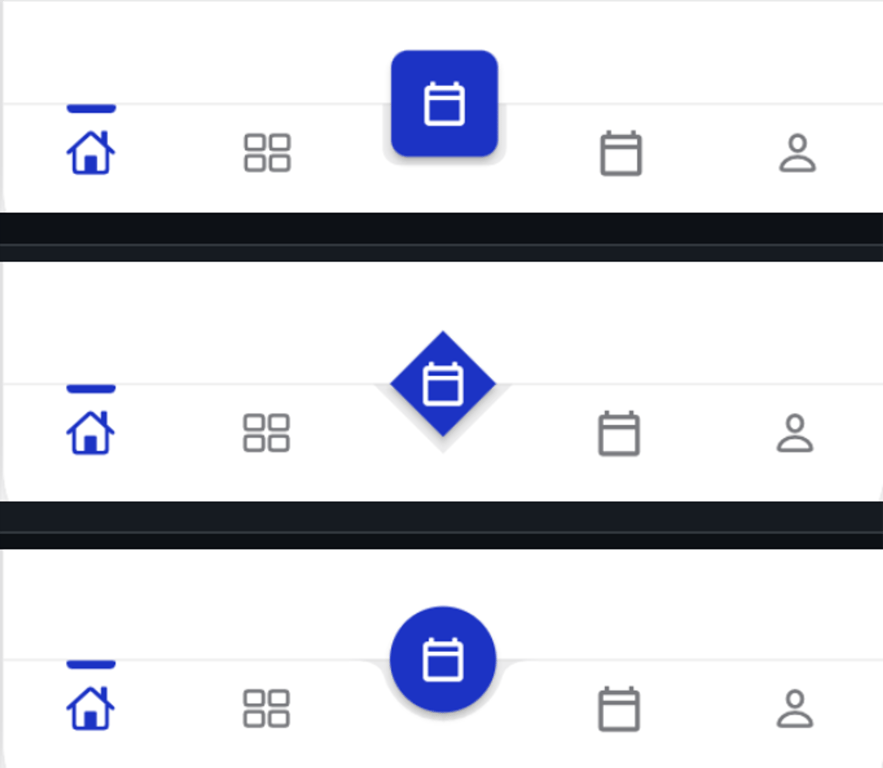
Tabbar Floating Config
Support indicator in full size of the tab in Bottom Tabbar
(3) New Fantastic Layouts on Home Page 🏆
New Blog/Product Banner Slider style
Support Gradient Style for Image Category
New Menu List Layout for Dynamic Layout
Add Header View and Date Time Countdown
Add Header View for Category item on Home page
Date Time Countdown
New Carousel View Flutter 3.24.0
List Card Layout
A new layout for the Home screen is now available in FluxStore Apps starting from version 5.0.0. This layout features: a title, subtitle, action button, tags, and image. The button can be used to navigate to other screens, products, blogs, tabs, and more. There are now 2 main styles for the layout: "titleHeading" and "subtitleHeading”.
The items can be displayed in either a vertical or horizontal arrangement.
Vertical layout
Horizontal layout
(4) Firebase and BranchIO dynamic links ⚡
Firebase and BranchIO dynamic links can now operate simultaneously, providing improved flexibility for linking and sharing across your applications.
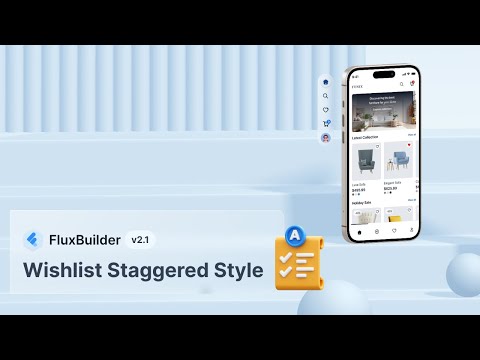
(5) New Wishlist Staggered Style ✨
Introduced a new staggered layout for the wishlist, enhancing the user experience with a fresh and modern design.
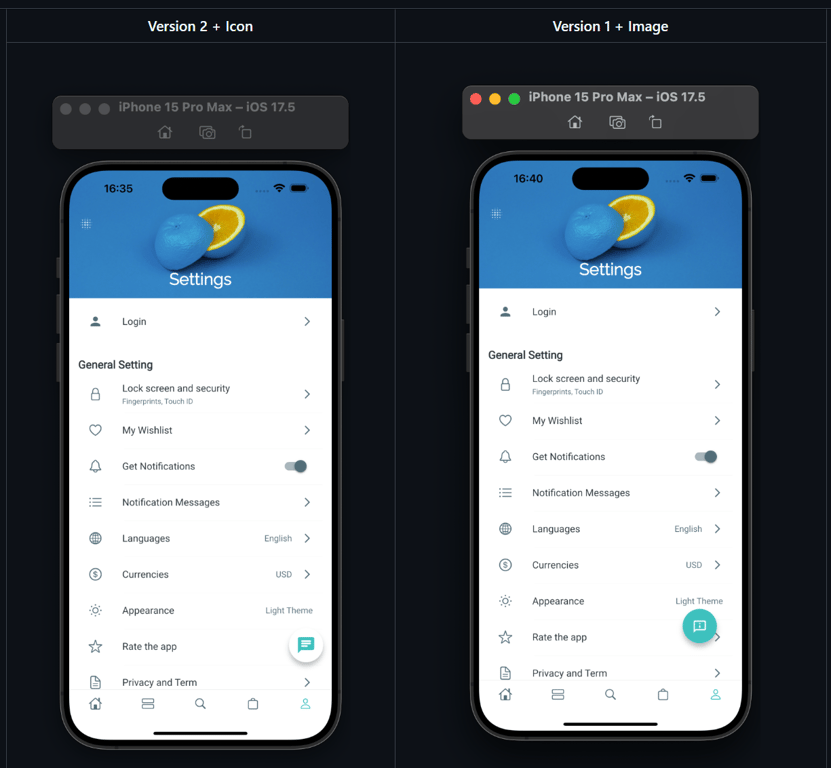
(6) Custom Smart Chat icon 🎉
Users can now customize the Smart Chat icon, allowing for a more personalized touch to the chat interface.
Screenshot Demo
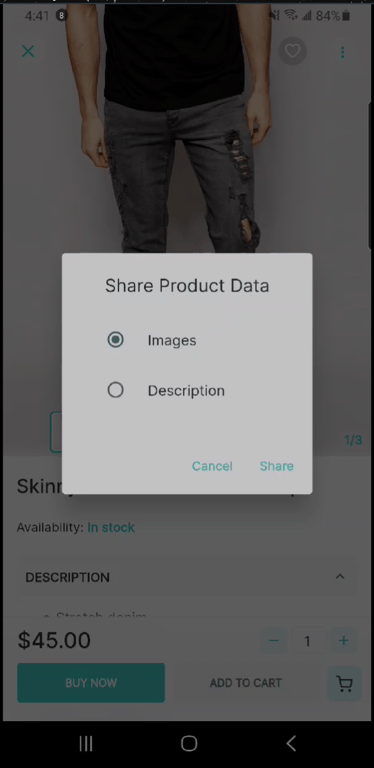
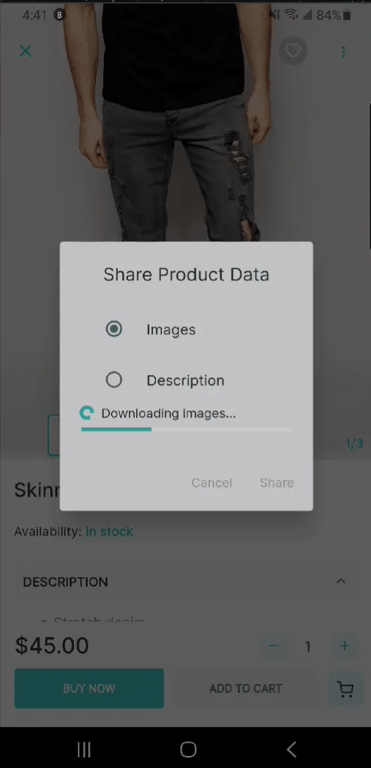
(7) Share Product Data 🎈
Users can now easily share product data with others, including the product’s descriptions and images, promoting products through social media and other platforms.
Added options to customize the font style and text size for banner items, providing greater flexibility in design.
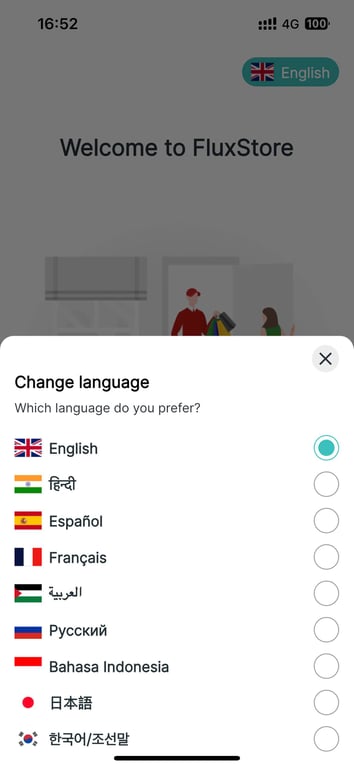
(2) Automatically Display Language Selector on Onboarding Screens
The language selector will now automatically appear when users open onboarding screens for the first time, improving user experience for multilingual support.
Screenshot:
(3) Vendor Name on Product Details
Introduced the option to show or hide the vendor name on product detail pages
Screenshot:
IMPORTANT UPDATE
Library Update for Xcode 16 Compatibility: Updated relevant libraries to ensure full compatibility with Xcode 16, resolving any build issues and enhancing performance.
Address ios build with PhoneNumberKit issue: Temporarily locked the PhoneNumberKit library to version 3.8.0. This resolves breaking changes that may have affected functionality in the app.
Style (Logout): Change button color from red to primary
Update requireUsernameWhenRegister option in Digits Mobile
This release contains many fixes
Fixed (BuildAndroid): catch null exception
Fixed (Configurations): fix parse object
Fixed (Checkout): issue checkout when use item price
Fixed (DeleteAccount): not show delete option
Fixed (Order): support track order attribution via mobile app
Fixed: check null data
Fixed: show loading when load tired price from server
Fixed: issue where share popup doesn't appear after clicking share
Fixed: issue show drawer menu
Fixed: throw exception when getting current navigator
Fixed (InforPlist): add missing or not translat
Fixed: app crash when not using TeraWallet feature
Fixed (BlogListLayout): type exception on tablet
Fixed: declare type to avoid unexpected exception
Fixed: issue Xcode 16
Fixed (FlutterInAppWebview): use script override code in local and remove override flutter_inappwebview_ios
Fixed (Build): cannot build android
Fixed (Lib): Upgrade the flutter_inappwebview library to fix build issues on Android
Fixed (Profile): show white screen after upload new avatar
How to update/migrate the app to the latest version?
Now you can search keywords in both Title, Description, Category, and Product Type.
(4) Min-Max price on Product Cart 💰
On the old app, only the lowest price display on the Product Card of Variant products.
This new version helps your app show both the highest and lowest price on the Product Card of Variant products.
(5) Facebook App Event 🌟
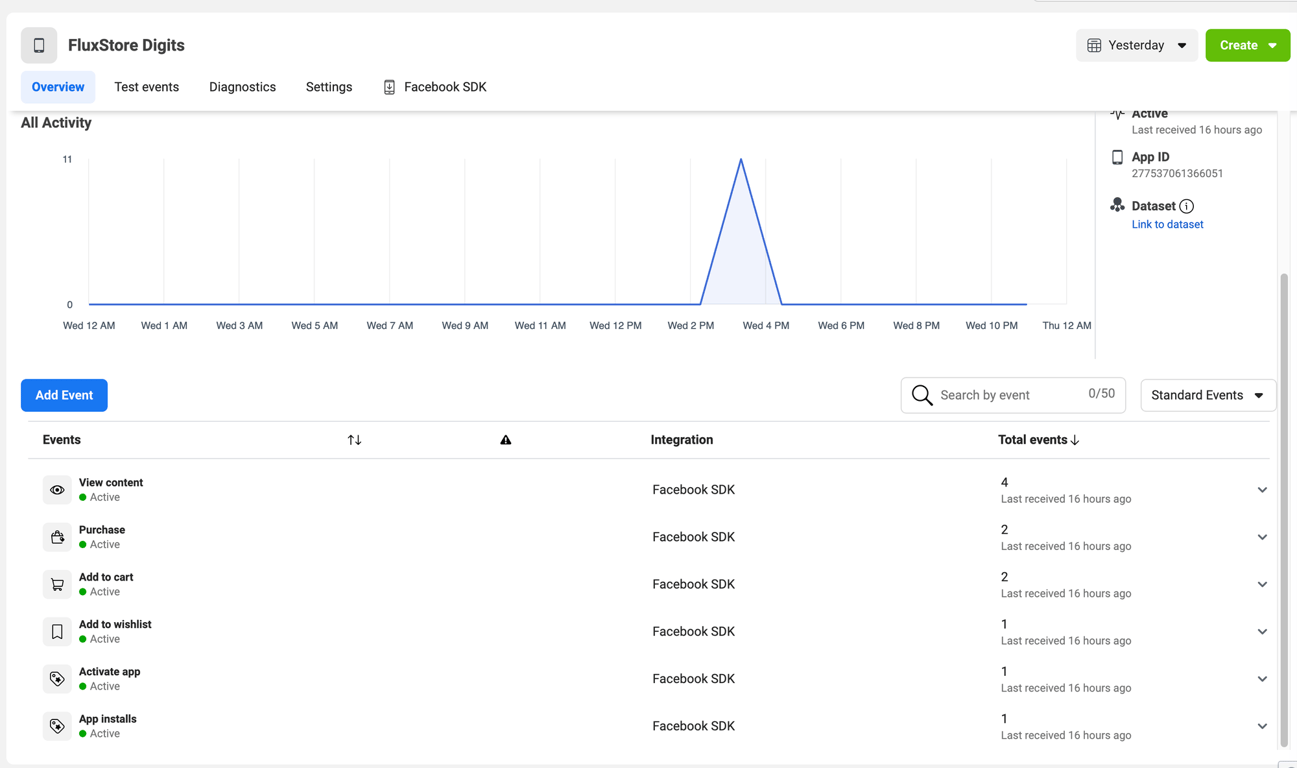
Meta App Event Tracking (or Facebook App Event) allows your app to track events, such as a person installing your app or completing a purchase, to measure ad performance, and build audiences for ad targeting.
Input your purchase code to configs/env.props file (if not input, the app will crash):
(2) Default Product Image 🌅
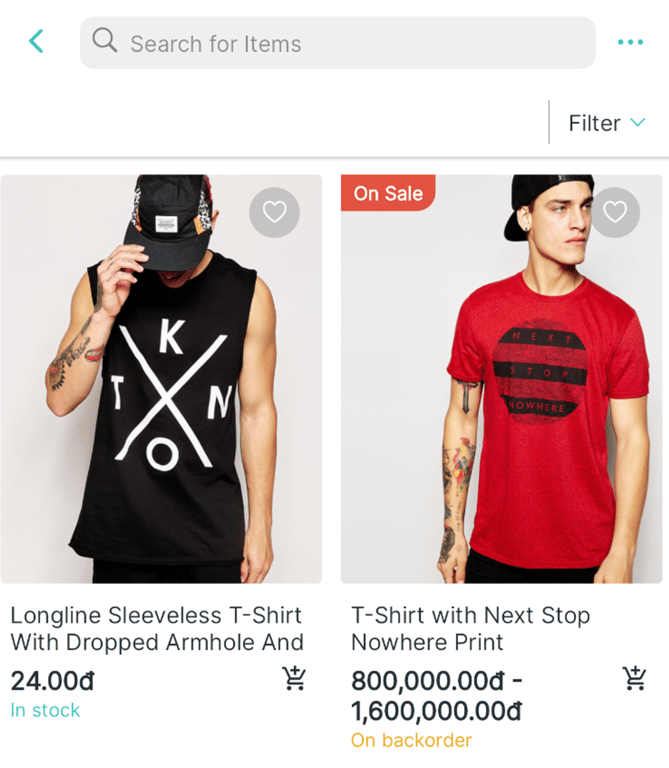
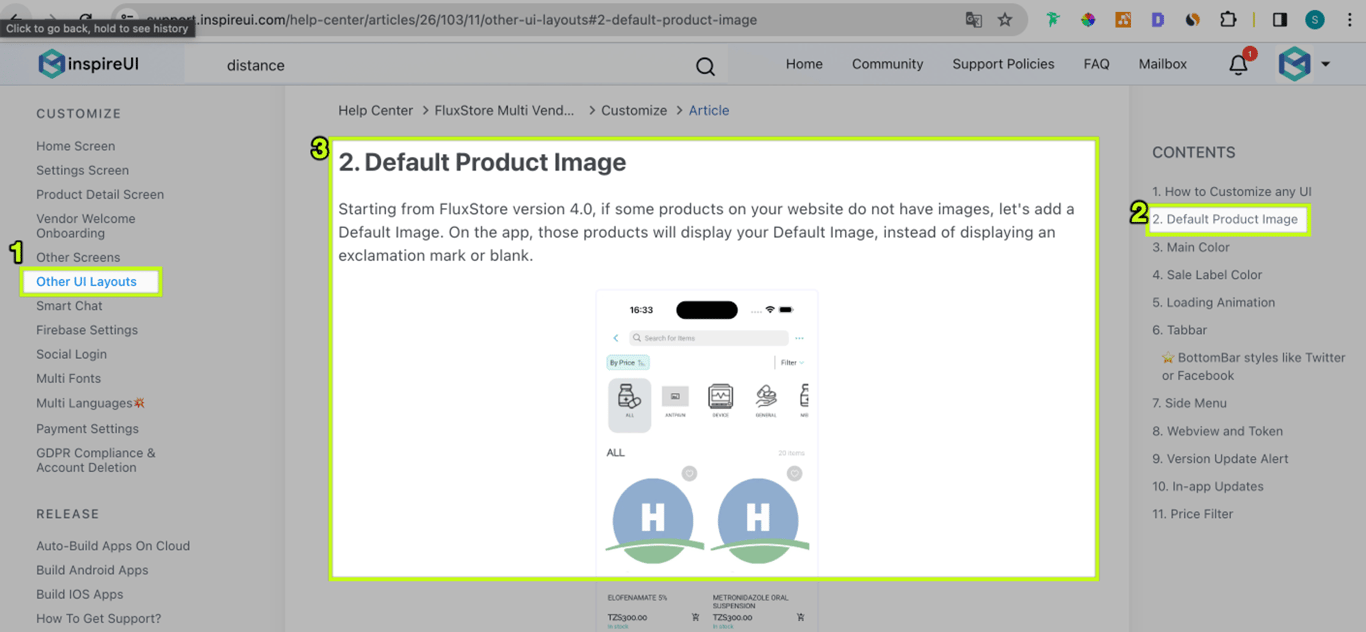
If some products on your website do not have images, let's add a Default Image. On the app, those products will display your Default Image, instead of displaying an exclamation mark or blank.
Guide
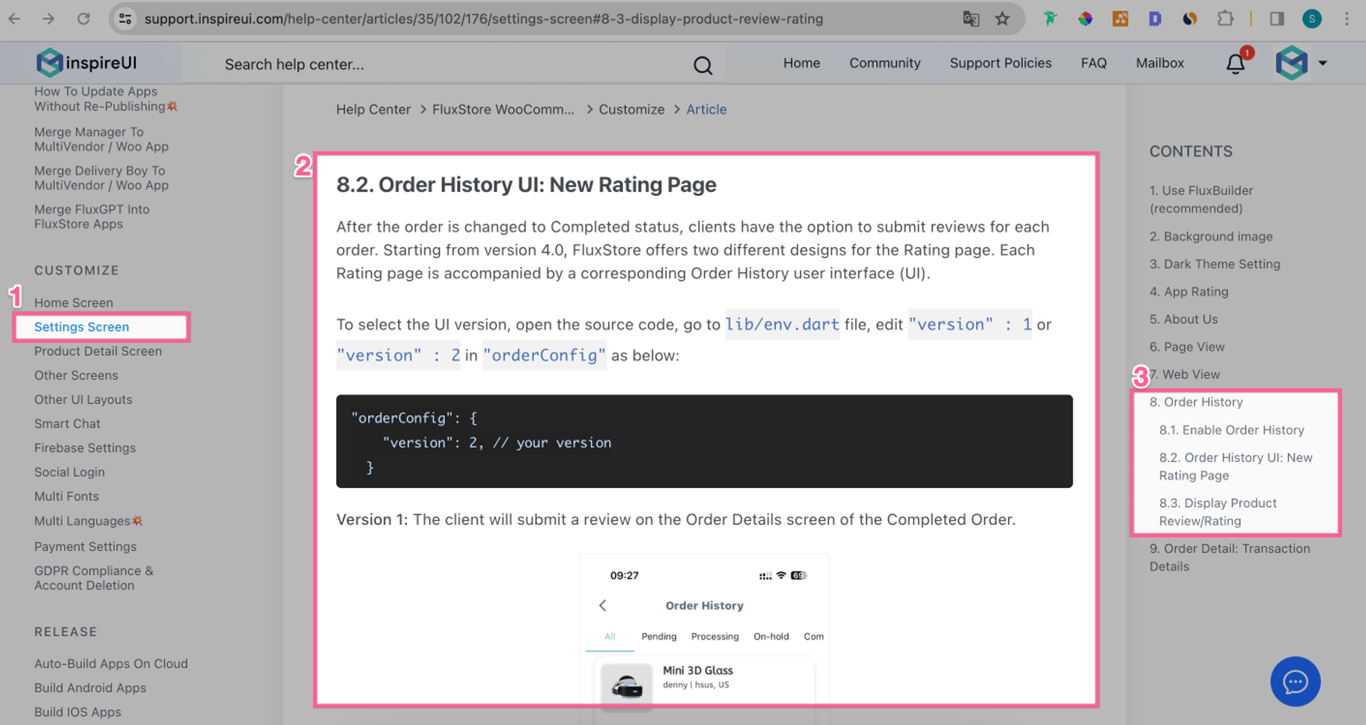
(3) Rating page ⭐️
A new Product Rating page instead of showing it in the Order Details screen.
Not support uploading images yet.
Guide
Demo Video
(4) New Languages 🌐
Support new Bulgaria🇧🇬 and Sinhala languages.
Thanks to our Customers who sent us the translation native language file❤️
Now FluxStore apps support more than 60 native languages.
IMPORTANT UPDATE
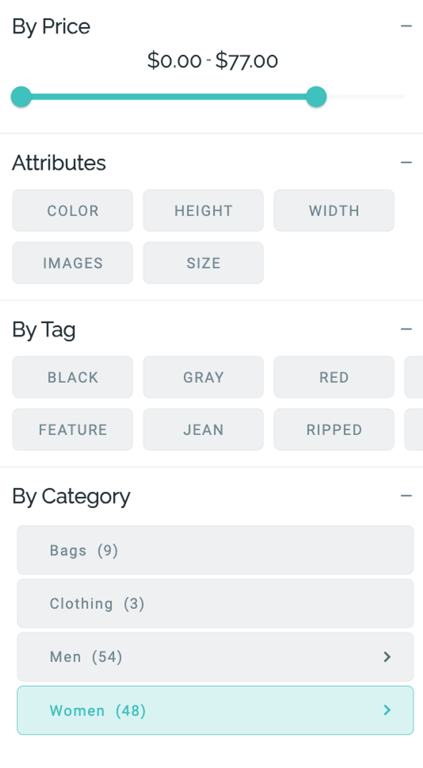
Min & Max values on Filter By Price 💰
Load the min and max prices from your website's database and show them on the Filter By Price screen of the app.
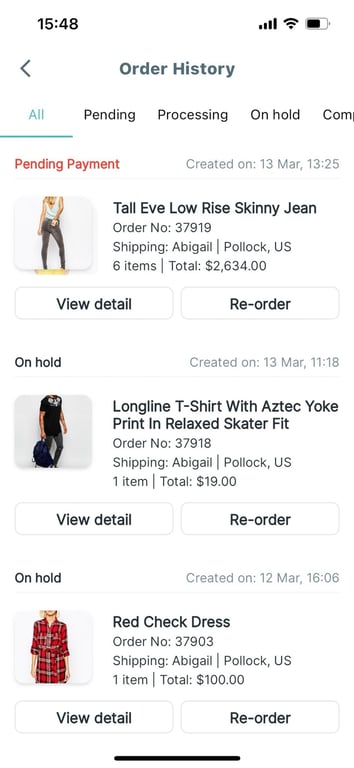
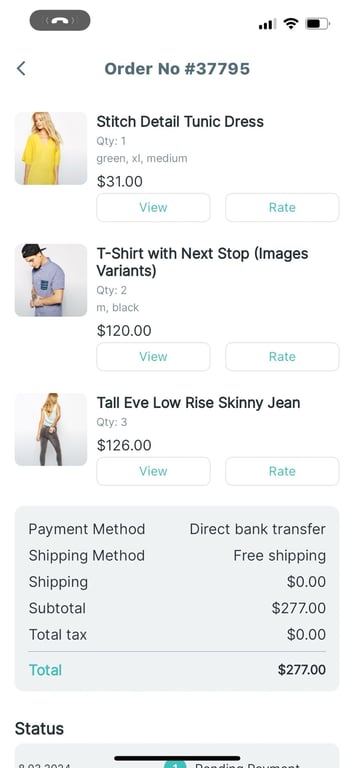
Upgrade UI of Order History and Order Details screens 🌈
New elegant UI of:
Order History screen:
Order Detail screen:
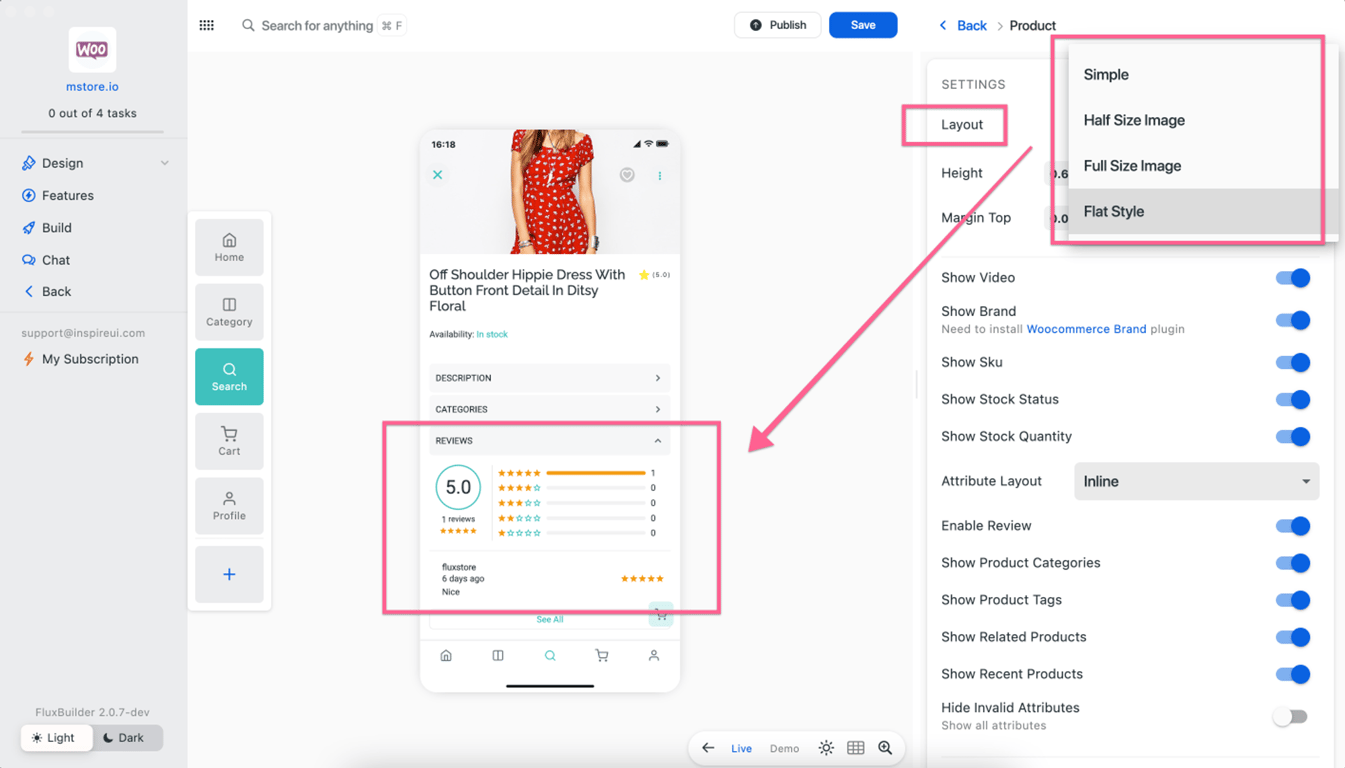
Add Review widget in FullSizeImageType layout 💄
Now all 4 layouts of the Product Details screen show the Reviews widget.
Upgrade the Video Shopping widget ⭐️
When selecting Buy Now on a Video, ability to configure to show the Add To Cart dialog or Product Details screen.
If Enable the EnableBottomAddToCart option, it will open the Add To Cart dialog, whereas if Disable it will navigate to the Product details screen.
FluxStore and FluxNews apps version 3.13.5 now offer compatibility with Apple's latest releases, XCode 15 and iOS 17.
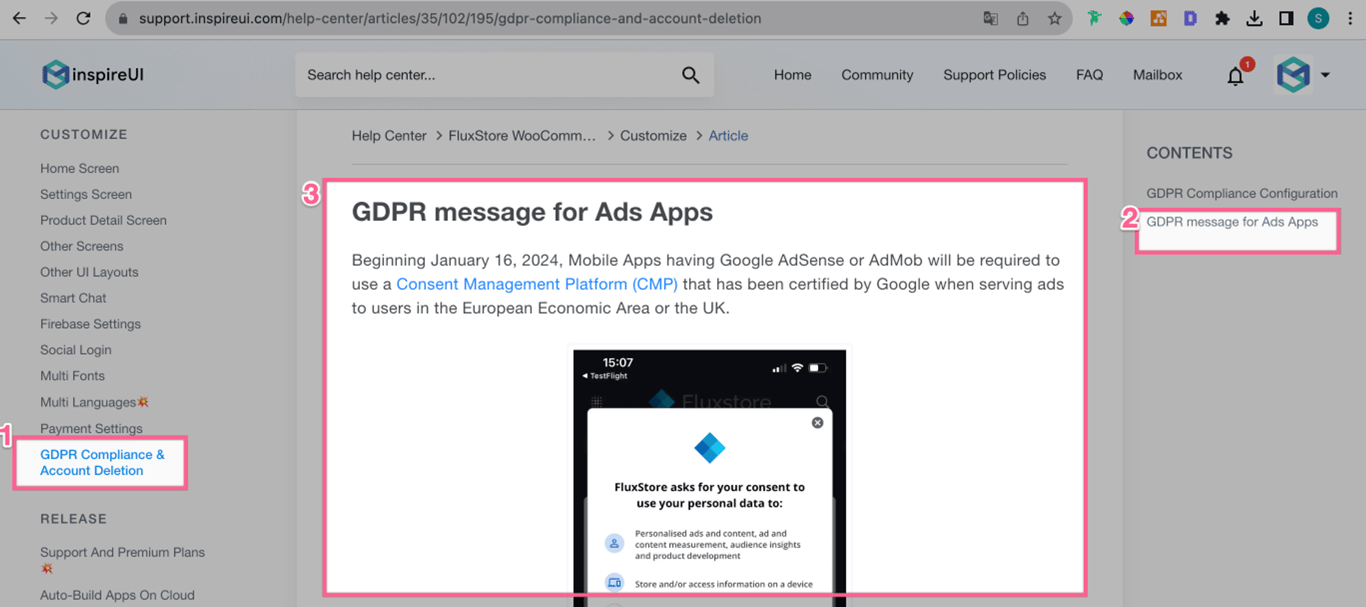
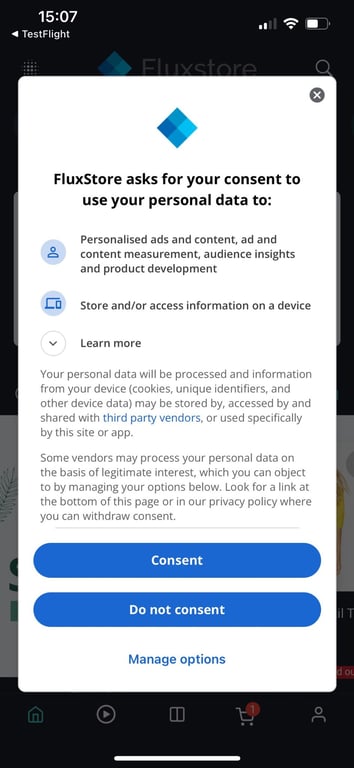
(2) GDPR message for Ads Apps 🌈
Support showing GDPR message for Ads Apps.
Beginning January 16, 2024, Mobile Apps having Google AdSense or AdMob will be required to use a Consent Management Platform (CMP) that has been certified by Google when serving ads to users in the European Economic Area or the UK.
Guide
Demo Screenshot
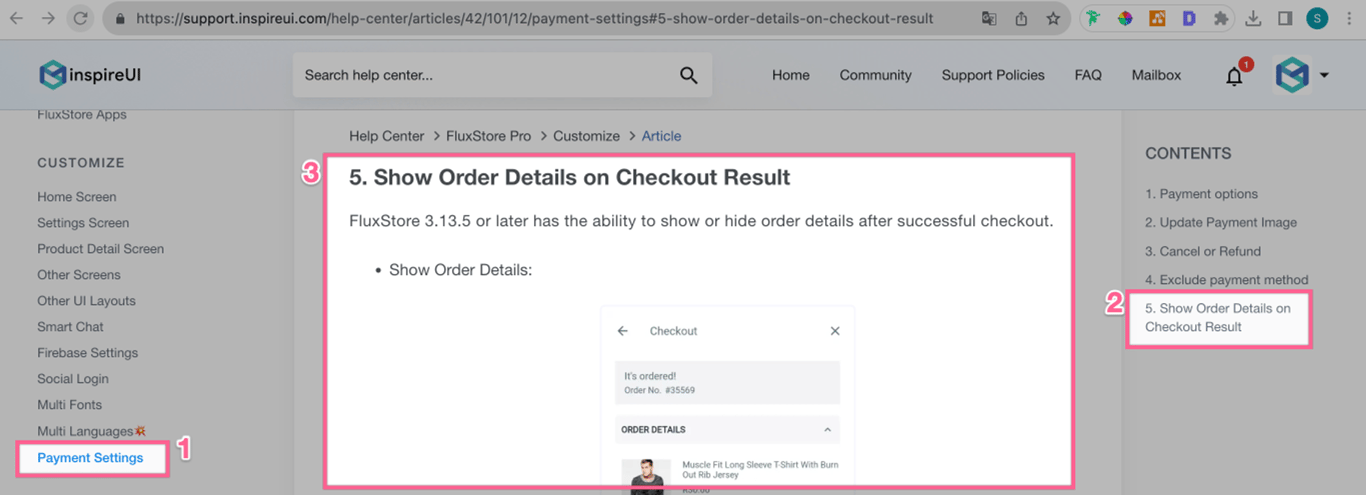
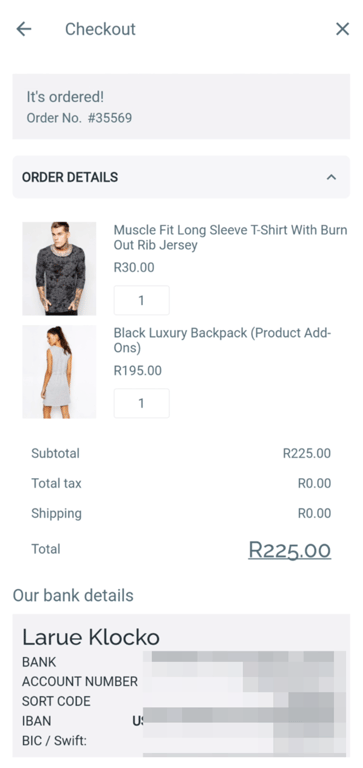
(3) Order Details on Checkout Result 💸
Ability to show or hide order details after successful checkout.
Guide
Demo Screenshot
Show Order Details
Hide Order Details
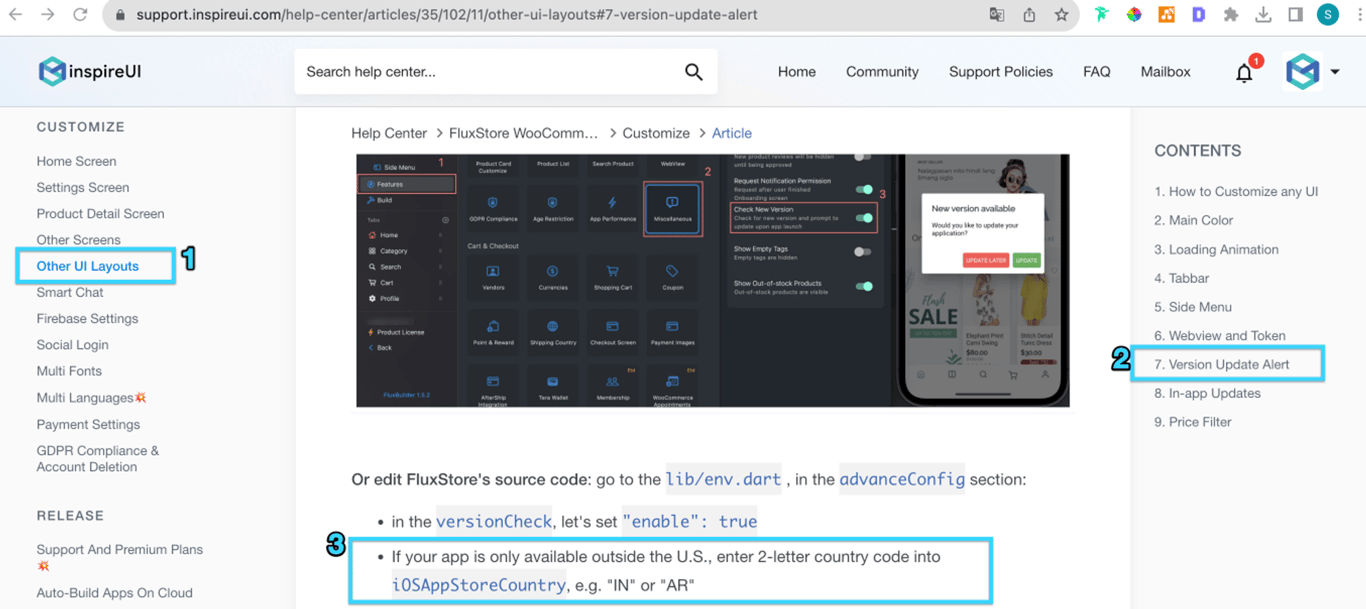
(4) Version Update Alert for countries outside US 📣
When there is a new version, an alert is shown with a link to the appropriate App Stores page. Version Update Alert by default supports apps in the US.
This new version supports Version Update Alert for all countries outside US.
Guide
(5) Page Transition Animation 🚸
Ability to swipe to go back in Dark mode on IOS. Using:
CupertinoPageTransitionsBuilder(): constructs a page transition animation that matches the iOS transition. You can swipe to go back.
FadeUpwardsPageTransitionsBuilder(): constructs a page transition animation that slides the page up.
Demo Video
(6) New Languages 🎊
Support new Estonia🇪🇪 language.
Thanks to our Customers who sent us the translation native language file❤️
Now FluxStore apps support more than 50 native languages.
IMPORTANT UPDATE
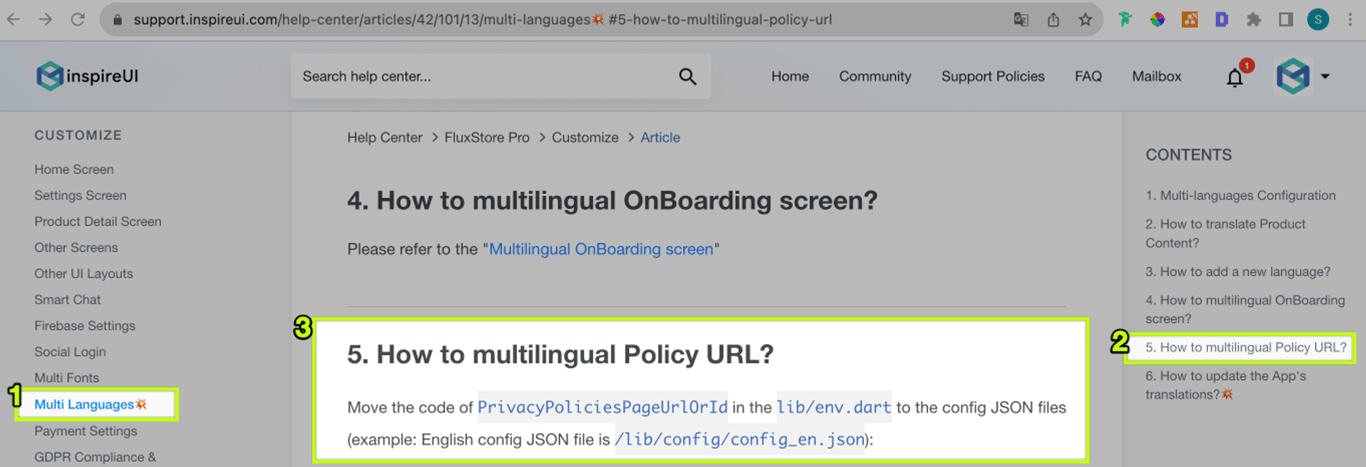
Policy URL supports Multi-language URLs 💥
Guide
Move Banner Ads to the bottom of the screen 🌟
App Store requests to move Banner Ads to the bottom of the screen on your apps.
Improve quantity selection behavior ⬆️
Update Kurdish and Tigrinya languages 🌎
Update OpenAI update library ♻️
How to update/migrate the app to the latest version?
Start Shopping button always links to the Home screen even though the tab bar does not contain the Home tab. The solution is: if the user clicks "Start Shopping", the app will redirect to the default tab index. If not, return the tab index, which is not fullscreen mode and not group layout for dynamic.
Fix: border of category icons cannot be separated if enable Horizontal Mode
Fix: the country code showing twice in phone number
Fix: not working only show first time and alway show login if turn on the required login
Fix: Product Categories Issue In Multilanguage
Fix: load cache if user disable multi language
Fix: The Address is not saved after re-opening the app
Fix: to save notification status to server
Fix: delete account if the website block DELETE method
Fix: The country code and flag are reset whenever the screen is rebuilt
Fix: validate phone if has white space
Fix: issue with creating links for Tag Product, Screen, and Tab screen
Ability to enable opening a specific screen from a tab number or screen name using a dynamic link. When users open the link, App is launched with that Tab or Screen.
Join the FluxBuilder Community to learn, share, and get inspired to create mobile apps, whether you're an entrepreneur, experienced developer, or a beginner → get Invitation
(3) Auto-sliding Products/Blogs💥
Auto-sliding for the horizontal product list.
Support for Layout Products, Blogs.
Not available for listTile, simpleList yet.
Video
🔹
IMPORTANT UPDATE
Configure Notification Request screen 🌈
Ability to configure Icon, Title, Image, and Description on the Notification Request screen:
Improve Product List screen 💥
Ability to show all the category on menu if the selected category does not parent.
Before
After upgrade
Upgrade Dart 3
Upgrade FluxStore to latest Dart 3 compatible sdk: ">=3.0.0 <4.0.0"
Smart Chat supports ChatGPT - A powerful AI Writing Assistant on App.
Available for the Extended License. The Regular License can integrate with FluxGPT app.
Ability to copy, paste, delete, or share the content.
➡️
Important improvements
Improve AfterShip 🧩
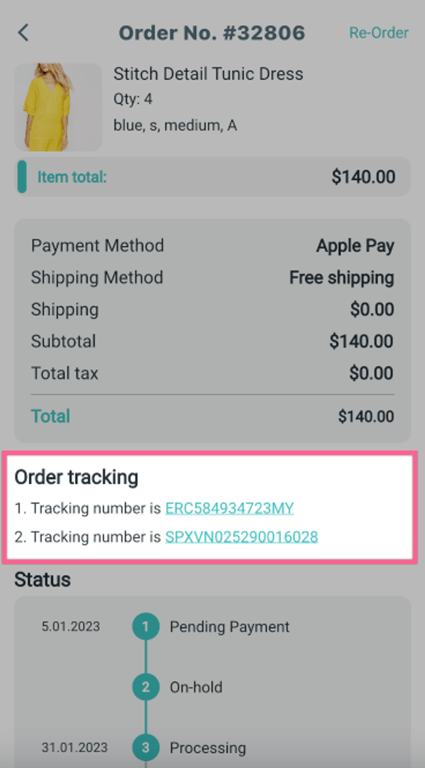
Support to show multiple tracking numbers:
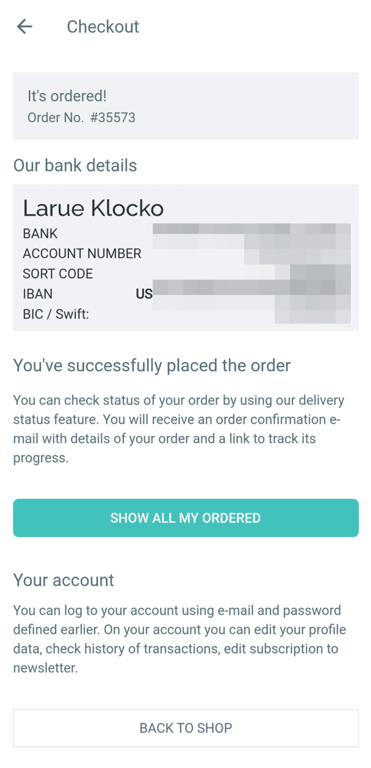
Bank Details 💰
Update the display of bank details in Checkout screen.
Zoho SalesIQ Chat 📣
Support customizing Notification icon for Android:
"salesiqConfig": {
    ...
    "notificationIconForAndroid": "logo" // Add name of the icon in the drawable folder inside android, without extension. For example logo.png
  },
Upgrade Category Names 🌈
Show the Category Name in the center.
Category Names are left-right alignment in RTL language when using the Parallax effect.
Show or hide expanded product information and description.
➡️
Minor bug fixes
Thanks to all for reporting bugs & suggesting features. This release contains many fixes & UX improvements:
Fix: Cannot checkout after login
Fix: display Unicode when asking permission
Fix: color in filter blog
Fix: Tabbar shows grey color if setting the margin.
Show error message if missing field when checkout.
Fix: redirect to the login page when disabling the Guest Checkout.
Fix: pop button sliver Appbar in the Profile screen
Remove the duplicate refund button
Fix: show blank screen when missing Splash screen config
Show Bank Info after the order completed
Fix the Smart Chat image not showing
Fix: parse Order Status
Upgrade latest Flutter channel stable v3.7.x
To make sure you are using the correct Flutter version, run this command: